

Latest Version
裕涛 兰
Tools
Mac
Free
6748003724
Report a Problem
More About App Cleaner - App Uninstaller
The Hidden Clutter Slowing Down Your Mac
Every Mac user eventually faces the same frustrating problem: a gradually shrinking hard drive and mysterious storage categories filling up with "System Data." When you drag an application to the Trash, macOS often leaves behind a digital footprint of preferences, caches, supporting containers, and log files. Over time, these orphaned files accumulate, wasting valuable solid-state drive space and potentially causing system conflicts.
To solve this persistent storage issue, developer 裕涛 兰 created App Cleaner - App Uninstaller, a dedicated macOS utility designed to scan your system and perform complete software removals. By targeting the hidden directories that standard uninstallation methods miss, this tool helps you maintain a lean, organized, and fast-operating Mac with minimal effort.
How App Cleaner - App Uninstaller Reclaims Your Storage
This utility operates as a specialized storage assistant, focusing entirely on thorough cleanup rather than surface-level deletion. Here is how the application helps you manage your Mac's ecosystem:
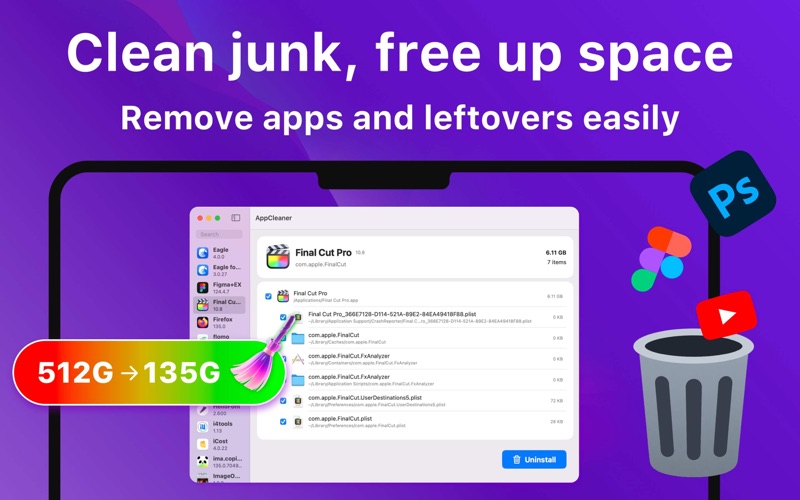
- Deep System Scanning: The app quickly analyzes your installed applications and maps out every associated file hidden within your library folders.
- Leftover Detection: It isolates preferences, caches, and log files tied to specific apps, ensuring you do not delete important system files by mistake.
- Selective File Removal: Users have the flexibility to perform a complete one-click uninstall or manually select which supporting files to remove and which to keep.
- Native macOS Design: Built specifically for the Mac platform, the interface is lightweight, fast, and highly secure, respecting user privacy throughout the cleanup process.
Who Is This Storage Tool For?
If you frequently test new software, manage large creative suites, or work on a Mac with limited base storage (such as 128GB or 256GB models), App Cleaner - App Uninstaller is an essential addition to your utility folder. It removes the guesswork from system maintenance, making it safe for casual users who want to avoid digging through hidden Library directories, while remaining efficient enough for power users who demand total control over their file system.
Keep Your Mac Running Clean
Manually hunting down orphan files is a chore of the past. With its straightforward interface and precise scanning engine, this tool ensures that when you delete an application, it is gone for good. If you are ready to reclaim your disk space and optimize your system storage, you can learn more and download the application directly from the Mac App Store.
Rate the App
User Reviews
Other Apps in This Category







Popular Apps










Editor's Choice